Archive for February, 2008

Ginormous Image Files

February 29th, 2008

Here’s a follow up to a comment I made about 800 MB files in a previous posting (see Canon 1Ds Mark III Workflow).  There were a few incredulous responses along the lines of, “How could anyone have an 800 MB image file?”  The answer was pretty straight forward.  Start with a 20 MB RAW file, convert it to tiff (now you’re around 100 MB), add a few layers and presto, an 800 MB gorilla.

But I have that one topped.  Give this one a try.  Shoot a 360 degree panorama.  Now at 15 degrees between shots it takes 24 images to make the full 360.  Let’s see, that’s 1680 MB of RAW files.  To make life simpler, convert the RAW files to JPEGs.  Then stitch them together in CS3 using Photomerge.  Don’t flatten the layers; just save the file as a PSB (you have to use Adobe’s large file format) and there you have it – a 2 GB image file.

Here’s an interesting tidbit for the Lightroom version of Trivial Pursuit:  LR can’t import the file – too big.

All I can say is, “It’s a good thing they now have 1 TB external drives.”  And to think my very first computer had a 90 KB single sided, single density 5 1/4″ floppy drive.  Yep, just one of them.  Come to think if it, with its 4 MHz Z80 CPU it would have taken about a week (maybe more) to stitch together the 24 images assuming I could have found enough storage to hold the file once it was done.  We’ve come a long way baby.

Posted in How To, Journal | Comments (1)

New Photograph on Website – Lower Antelope Canyon 1

February 26th, 2008

Well, this is two nights in a row – a new photograph published on the website.  This is the first in what should prove to be a series from Lower Antelope Canyon (all the postings so far have been from Upper Antelope).  I’m very excited about this one.  There’s quite a story behind capturing it that maybe I’ll go into at another time.  Suffice it to say, it required some contortions to get the composition perfect but the effort paid off.

 Please enjoy Lower Antelope Canyon.

Lower Antelope Canyon 1

I feel it is appropriate to close with a saying of the Navajos - “Walk in beauty.”

Posted in Journal | Comments (0)

New Photograph on Website – Upper Antelope Canyon 3

February 26th, 2008

There’s another photograph from this year’s Antelope Canyon trip on the website.

 Upper Antelope Canyon 3

Upper Antelope Canyon 3

Posted in Journal | Comments (0)

High Dynamic Range #3 (HDR)

February 24th, 2008

HDR Exposure 

This is the third in a series of articles on high dynamic range, more commonly known as HDR.  The previous article illustrated how HDR situations occur; namely, when the dynamic range of the subject exceeds the dynamic range the sensor (or film) is capable of capturing. 

 High Dynamic Range

But with digital photography there is a technique for dealing with it.  In the field, it begins with taking multiple shots at different exposures so that the combined dynamic range exceeds that of the subject.

Read the rest of this entry »

Tags: , , ,
Posted in Articles, How To Articles | Comments (2)

New Photograph on Website – Spirit Bear

February 23rd, 2008

More than a year has passed since I last visited Antelope Canyon in northern Arizona.  The return was eagerly anticipated and this time I would be with eight other people, some who were already good friends and others who were to become good friends.

The Antelope Canyons (actually there are two – Upper and Lower) are amazing slot canyons about three miles from each other – one up stream, the other down.  They have totally different personalities.  The first images to come from this most recent trip are from Upper Antelope. 

There’s a spiritual quality to these canyons.  To be sure they are sacred to the Navajo, the caretakers of these wondrous places.  It is with respect and awe that one enters their worlds.

I hope you enjoy the first image to come from this trip – Spirit Bear.

 Spirit Bear
Spirit Bear

Click here to see more.

Posted in Journal, Photographer as Artist | Comments (0)

DxO Impressions 5

February 22nd, 2008

I want to set the record straight on my experience with DxO.  In the interest of fairness, it appers that the troubles I was having was a result of .NET issues that existed on my machine before I tried to upgrade DxO.  How do I know this?  Well, the process I had to go though to fix the problem caused by the DxO upgrade fixed some other problems I was having with my computer.

So here’s my final conclusion:

The .NET problem, it was lurking in the bowels of my computer waiting for something to come along.  The DxO upgrade was just that thing.  Now the .NET problem is resolved.

I’ll wait before giving DxO another try but when they come out with their upgrade for the 1Ds Mark III I probably won’t be able to resist.  The concept behind the product is still fascinating.

Posted in How To, Journal | Comments (4)

Journey to a Fine Art Photograph Continued

February 22nd, 2008

In the first post (http://ralphnordstromphotography.com/wordpress/2008/02/18/journey-to-a-fine-art-photograph/)  I talked about the importance of the first step you take with your image, the opening move if you will.  I don’t know if this ever happens to you but it happens to me all the time – I work on an image for several evenings only to end up in a box canyon, a dead end.  It’s not going anywhere.  And so very often I think, “Wow, I started it all wrong.  I did X but if I had done Y I would have avoided this problem.”  It’s too bad but sometimes the weaker opening move isn’t manifested until you have quite a few hours invested in the image.  But the only thing to do, if you still believe in the image, is to start all over again.  Maybe you do so right away or maybe you set it aside for some weeks or months and just let it ferment in  your mind.

That leads to another ‘Ah Ha’.  Do you ever sit staring at an image and ask yourself, “What do I do next?”  Like I said before, I’m of the school that discovers the emotional content of an image as I work with it, not necessarily in the field when I’m shooting it.  “Discover” is the key word here.  Here’s the way it seems to me - it feels like walking across a meadow in a thick fog.  Sure, you can see one or two steps ahead but you can’t see the other side of the meadow until you get really close.

Each step you take is based on the one or two most obvious things you see when you look at the image.  Perhaps the first thing you notice is the need to address contrast.  You choose a tool to deal with it, say curves.  Once that’s corrected you see another thing, say color.  Maybe you choose selective color for that.  Next you see something else, perhaps a highlight that’s distracting from the overall composition.  You choose a tool to correct that, say dodge and burn.  And on you go, step by step, dealing each time with the most obvious correction that is calling out to you.

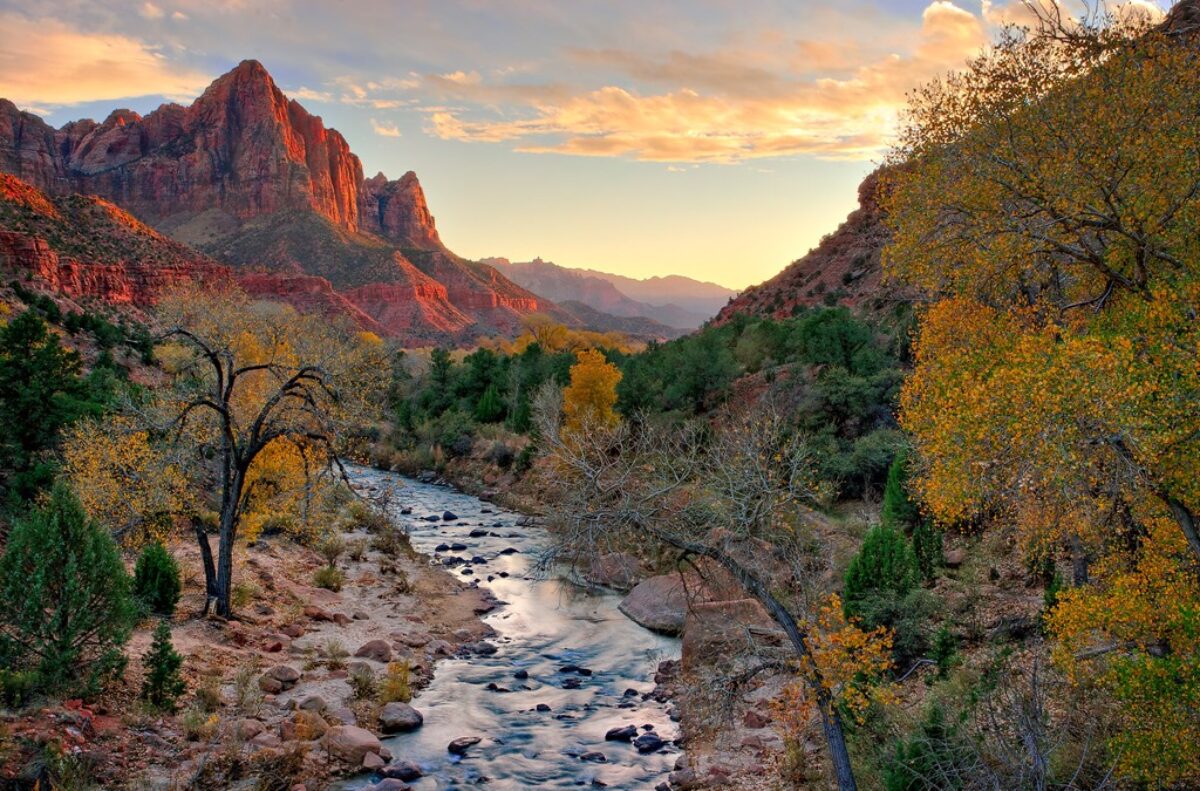
It’s in this process of picking our way across the creative meadow, through the fog, step by step that our personal style emerges.  Because, two artists looking at the same image on identical monitors will respond differently.  They may very well see different things calling out for attention.  And even if they see the same thing, the tools they choose to address them may be different.  And even if the tools are the same, the way in which they apply the tools will most surely be different.  And that’s just one step in the journey.  There are many, many more to go.  It’s fun listening to people who criticize us when we stand shoulder to shoulder with other photographers, cameras all pointed in the same direction, clicking away like mad.  They laugh about the individuality of artistic expression.  But of the two dozen or so photographers I shared the bridge with over the Virgin River shooting the Watchman in Zion this past Thanksgiving, I’ll lay odds that not a one of them has a photograph that looks anything like mine.  Not a one of them took the same path across the foggy meadow that I did.

The foggy meadow analogy also works to understand the importance of the first step you take with the image.  If it’s to the left, the right or straight ahead, you’ll end up in a different place on the other side.  You may end up in a place that you find inspiring or you may not.

The journey across the meadow can also be a journey of self discovery.  As you progress, the image takes on more meaning.  And as it does, you perhaps relate to the emerging meaning in ways that are new for you, ways that give you an insight into yourself, a deeper understanding of your inner self.  This in turn can lead toward exploring the image in yet different ways which can reveal new layers of meaning.  In this way, you and the image leap frog across the foggy meadow in a journey of understanding and self-actualization.

So, that a marvelous, miraculous and mysterious journey this is, from the field to the digital darkroom to eventually an expressive image hanging on the wall that carries so much of you, just as you carry the image and the journey that led you to it.

Posted in Journal, Photographer as Artist | Comments (1)

DxO Impressions 4

February 20th, 2008

Well, I’m very pleased to report that I heard back from DxO.  They expressed regret for the problems I was facing and hoped I’d reconsider.  I was impressed they responded.  So often companies don’t bother with a disgruntled customer.  So I’ll keep an eye on the product and if it appears it is stabilizing I just may give it a go again.

Read the final posting in this saga to see how it all turned out.

Posted in How To, Journal | Comments (0)

DxO Impressions 3

February 19th, 2008

The plot thickens.  Now, since the failed installation of DxO, not only does it not work but at least one key program no longer works.  It tries to launch and then just disappears with no error message or anything.

 Several Hours Later….

Everything is back up and running again – except DxO.  I uninstalled it after reinstalling it and it still didn’t work.  A little research for the other program that wasn’t working suggested .NET 2.0 was corrupted.  Fixing it required using a utility to uninstall it as the Windows Add/Remove Programs wouldn’t touch it.  If you run into the same situation, here’s the link to the Microsoft support site.

http://support.microsoft.com/kb/922377/en-us

That fixed the problem.  But I’m afraid I’m not going to risk going through this again by reinstalling DxO.  I got along fine without it in the past and I’ll get along fine without it in the future.

Read the final posting in this saga to see how it all turned out.

Posted in How To, Journal | Comments (0)

DxO Impressions 2

February 19th, 2008

After a rather favorable first impression with DxO I must add a non-favorable posting.  It will be short but not sweet. 

DxO came out with an upgrade.  Every time I launched the product it asked me if I wanted to upgrade.  A couple of times I responded with a Yes and, after an extremely slow and long download the install failed.  Last night I got an email from them announcing yet another upgrade.  The email had a link to their website where I found the download page.  Another extremely slow and long download.  It took two attempts to complete because the first one failed.

When I ran the install it too was extremely slow.  But the worst part is the install failed again.  This time it corrupted DxO and it won’t even run now.  So I’m out the bucks I paid for it.

Would I recommend DxO to anyone.  No, I can’t say that I would.  Obviously, it doesn’t matter how good the product is if you can’t upgrade it.  And to top it off, their customer support is legendary for being unhelpful.  I don’t know if I want to waste what little spare time I have on them.  It’s easier just to take it out of my workflow and uninstall it.  I got along just fine with out it before and I’ll do just fine without it now.

Read the final posting in this saga to see how it all turned out.

Posted in Journal | Comments (0)