Lightroom Tutorial – Expose to the Right

For a followup post read

http://ralphnordstromphotography.com/wordpress/articles/how-to-articles/expose-revisited/

The light meters in our digital cameras don’t always give us the best exposure.  That’s not to say that they give us the wrong exposure.  But the ‘correct’ exposure doesn’t necessarily produce the best image file as far as post processing is concerned, especially if we’re shooting RAW.

If you expose an image at the exposure selected by your light meter and check the histogram, chances are it’s skewed a little to the left, toward the shadows.  This is especially apparent in low contrast scenes.  The image might look great on the camera’s LCD and in Lightroom.  But a slightly overexposed image will capture more information and is therefore better to work with later – given of course that it’s not so overexposed that you have highlight clipping.  An ideal histogram is one that is just to the right of center.  This technique is called ‘Expose to the Right,’ and is practiced by many of digital photographers.

Continue reading “Lightroom Tutorial – Expose to the Right”

(8054)

Principles of Composition – Chaos

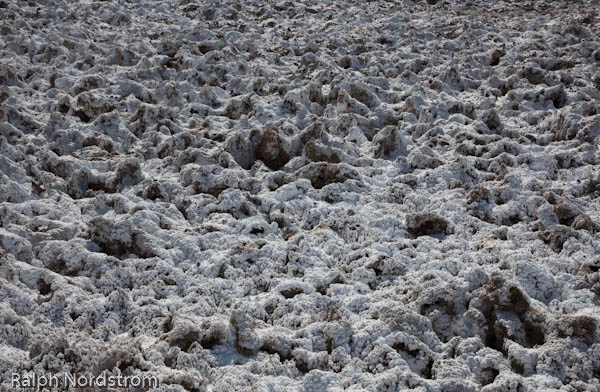
“… nature – unadulterated and unimproved by man – is simply chaos.” Edward Weston.

There’s no argument that Edward Weston was one of the finest photographers that ever tripped a shutter.  And one of the aspects of his photography that he is most revered for is his compositions.  He was the absolute master in his studio but when it came to photographing nature he admitted that it was the most difficult of all.  Why?  Because nature is chaos.

Nature is Chaos - Death Valley National Park Nature is Chaos

Continue reading “Principles of Composition – Chaos”

(1936)

Color Saturation in Lightroom

On three techniques for saturating color in Lightroom.

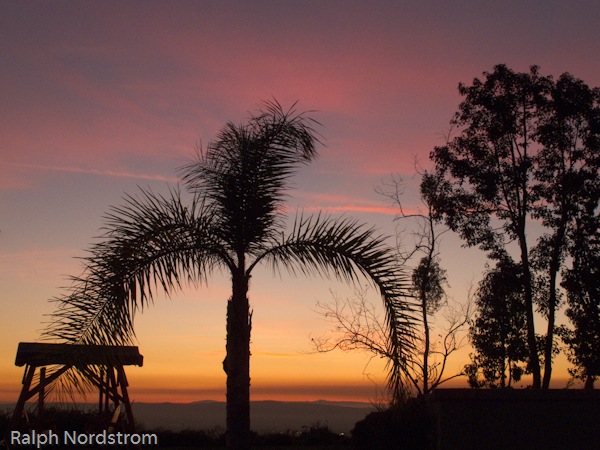
Last night we had a beautiful sunset.  The sky was baby blue, the clouds were pink and the horizon was golden.  I couldn’t resist.  So I grabbed my Canon PowerShot G11 and walked over to the neighbor’s front yard where the view is just a bit better.  I composed what I thought was an interesting image and snapped a few.

This morning I uploaded them and got to wondering about color saturation in Adobe Photoshop Lightroom.  I have a technique I’ve used for years to enhance colors but there are a couple of other techniques I thought I’d like to understand better.  The three Lightroom controls are:

  • Saturation
  • Vibrance
  • HSL (the control I use the most)

So, for starters, here’s the original unadjusted image.

sunset_original As you can see, the colors are really quite nice.  But my recollection of the sunset was that they were a little more saturated, more intense.

Continue reading “Color Saturation in Lightroom”

(4285)

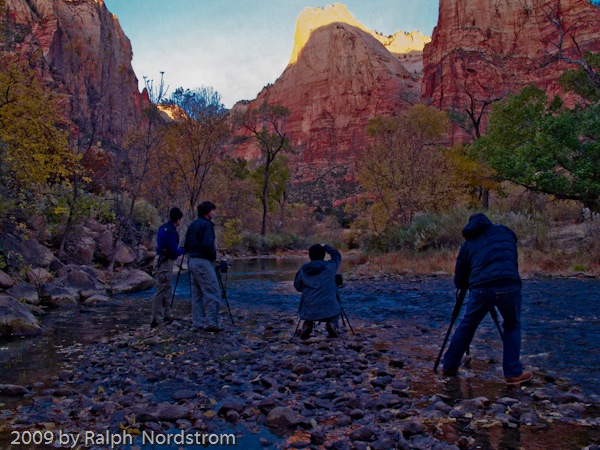
Why You Should Consider Taking a Photography Workshop

Reasons for takikng a photographic workshop and what to look for to get the most out of one.

Do you love photography?  Is it a passion within you?  Are you inspired by nature?  Do you want to get out to some great locations and come back with some stunning photographs?  Do you want to become a better photographer?

If you answered ‘Yes’ to any of these questions, than you should consider taking a photography workshop (or another workshop if you’ve already started down that path).

What Makes for a Good Workshop?

What are the reasons for taking a photography workshop?

Well, first, you get to photograph an area with someone who is really familiar with it. They know both the great iconic locations plus some out of the way, intimate places.  They are aware of how the light plays on the subjects and can get your to them at the best times of day.  They can respond to developments with the light such as sudden storms and take you to the best locations to take advantage of them.  In other words, they draw upon their intimate knowledge of the area to bring together the two most important factors that go into creating outstanding nature photographs – great subjects and fantastic light.
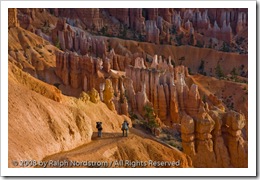
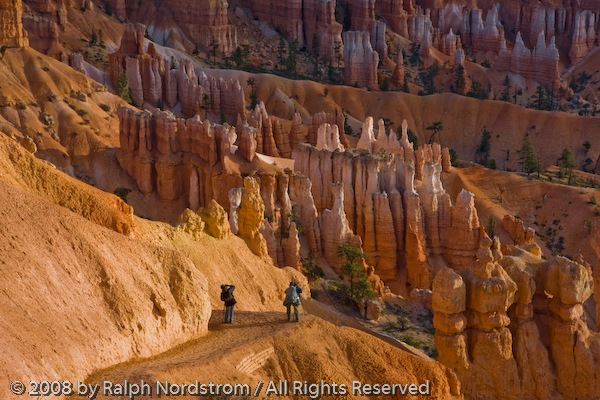
bryce_workshop

Second, good workshop leaders will freely share their ‘secrets’ with you.  They have acquired a vast amount of knowledge, not only about the area but also about photography in general.  They have their own personal approach to photography.  There can be a lot you can learn from them and they are willing and eager to pass it along to you.

Third, good workshop leaders will spend time working with you one-on-one to help you develop your skills, whether they be creative or technical.  They will spend time working with you in the field on things like exposure, focus and composition.  They will look over your shoulder as you work and offer constructive comments and tips.  They will also take time to review your work and provide you with ongoing feedback. They will also not confine their help to techniques in the field but help you with the critical post processing where the true potential of the photograph is ultimately realized.

The best workshop instructors will also probe you a bit to find out what you want to work on and help you with it.  If you’re not sure, they can help you identify areas of focus.  Their assistance will be very much personalized to your specific needs

How to Select the Workshop for You

There are several things you should think about and look for when selecting a workshop.

Start by thinking what you want to get from the workshop.  Are you primarily interested in a new and exciting location?  Do you want want to grow as a photographer?  Are there specific skills you want to work on?  Is there a photographer whose work you particularly admire?  All of these factors are things you should consider when you start looking for a workshop.

Finding Candidate Workshops

Search engines such as Google and Bing are very effective in helping you find a workshop.  Often people will search for a workshop in a particular location such as “photography workshop, Utah” or “photography workshop, Eastern Sierra.”  This works well if your goal is to photograph in a specific area.  These search sites can produce pages and pages of workshops, especially for the more popular workshop destinations.

Maybe you’re interested in a time of year such as “photography workshop, Napa Valley, fall” or “photography workshop, Death Valley, winter.”  Searches like this can get you to locations when conditions are most favorable and also when you can take enough time off for the workshop.

Finally, you may be interested in the work of a particular photographer.  Searches like “photography workshop, Ralph Nordstrom” or “photography workshop, Jack Graham” will prove effective.

Selecting the Workshop for You

Once you have a list of candidate workshops, how do you go about narrowing it down to just one?

You’ll find lots of information about the workshops on the web.  Based on what it is you determined you most want to get out of the workshop, review the information.  The following are factors you can consider.

Location

This is almost always an primary consideration.  If you’ve searched for workshops by location you should have lots to choose from.  Some websites will post itineraries.  Some will be general while others are very specific.  Take these itineraries with a bit of a grain of salt, especially the very detailed ones.  Rarely does a workshop follow the itinerary.  Conditions will change and the good workshops will adjust to make the most of them.  Itineraries are good, however, to give you an idea of what sites you will be photographing.

Time of Year

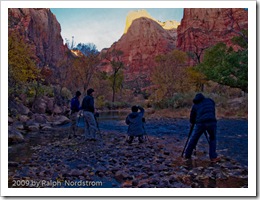
This is often another important consideration.  The workshop schedule need to fit with your availability.  But more importantly, they need to be scheduled when the light is the best for the location.  Again, if you searched for this you should have a sufficient number of workshops to choose from.
(c) 2009 by Ralph Nordstrom

Personal Attention

This is where some workshops start to stand out from others.  This is the single most common reason workshop attendees are not totally satisfied with a workshop.  Review the information carefully to see what it says about one-on-one attention.  Read the references from past workshop attendees.  If the workshop leader does not call attention to this either in the information they provide or comments from past participants, chances are you’ll be disappointed in the level of attention you receive.

Reviews

Will the leader review your work?  This should occur early and often.  This way you can incorporate the feedback into subsequent photographs and practice the things they share with you.  Another aspect of this is print reviews.  Does the leader invite you to bring along prints of your work for review and feedback.  Again, review the information carefully looking for some mention of this.  If you don’t see it you may want to strike that workshop from your list.

Assignments

Will you be given assignments during the workshop?  Assignments with the follow-up reviews are terrific learning tools and you could benefit greatly from them.  Again, if this would be of interest to you review the information to determine if assignments will be offered.

Reputation of the Photographer

You may admire the work of a certain photographer and want to study with them.  In that case this could be a primary consideration.  Chances are excellent that they will be going to great locations at the best times of the year.  If the photographer is well known, one thing to keep in mind is their workshops fill quickly (often a year in advance) and they can be pricy – supply and demand you know.  Also, some of the big name photographers will give you lots of personal attention, some will make themselves available for questions but not necessarily reach out to you with suggestions and still others, it’s sad to say, will spend virtually all their time photographing along side you.

Cost

No discussion of workshops would be complete without a word or two about cost.  As mentioned above, the big name photographers will charge commensurate prices.  A few include transportation from the meeting point, lodging and meals but this will usually run several thousands of dollars for a three to five day workshop.  Some of the really high end workshops run as high as $10,000 and more.  Others will charge four figures but leave all the transportation, lodging, meals and fees to you.  You’ll have to evaluate these workshops to determine if you’ll get want you want from them and if it’s worth the price.

There are a lot of lesser known photographers whose workshops are terrific values.  Many of these are very talented photographers in their own right.  Because they’re not as well known their workshops will be more affordable, often half that of what the better known photographers are charging.  And many of them will work very hard to add value that may be missing from the big name photographers.  Generally, this value will be in the form of more personal attention.  When selecting a lesser known photographer’s workshop, be sure to check out his or her work to see if it’s what you like.  It doesn’t make a lot of sense to take a workshop from a photographer whose work you’re not particularly impressed with, no matter how inexpensive it is.

Contact the Photographer

If you think a particular workshop is for you but you still have questions, don’t hesitate to contact the photographer.  Send an email or make a call.  Ask your questions.  Don’t pass up this step.  The photographer will be happy to explore the suitability of his or her workshop with you.

Photography workshops are excellent ways to take your photography to the next step.  But workshops can be costly.  So, when you’re ready to take that step it’s important to make the right decision.  Following the suggestions discussed in this article will help you select the workshop that is right for you.

Join me on an upcoming workshop.

To see more of my photographs click here.

Become a fan on Facebook and follow along.

(1178)

Composition – Rule of Thirds

A short discussion of the rule of thirds with examples.

There’s a simple compositional technique you can apply to quickly improve the quality of your pictures.  It’s fun and easy and works in so many situations.  It’s called the “Rule of Thirds,” and it goes a little something like this.

Continue reading “Composition – Rule of Thirds”

(1857)

The Making of a Photograph Part 3 – Photoshop First Round

In part one and two of this series I described how I selected the file to work on and explored the potential of the image in Lightroom.  The treatment I ended up with would be exported into Photoshop and we go from there.

Read Part 1

Read Part 2

After trying several approaches particularly with regard to the color of the light I selected one that was very much like the unadjusted file.  The only change was opening up the shadows in the valley floor a bit.

Yosemite_4Now the fun begins.  While Lightroom 2.x supports local adjustments I prefer to do the local adjustments in Photoshop.  I just feel that I have more control in Photoshop.

The first thing to deal with is the silhouette of the pint tree in the lower left hand corner.  I used the clone stamp tool to get rid of that.  I have no qualms about removing things that distract from the image.  But I draw the line at adding things.  Someone asked me if I added the moon in Bristlecone Moonrise.  No, I was there and that was the moon.  What’s the point of faking it.  The experience in the field would simply not be the same.  It’s so exciting to take an image like this and think you’ve got it.  But there’s always the nagging doubt in the back of your head wondering if you overlooked something and messed it up.   You never know until you get back at your computer to see what you really have.

bristlecone_moon_2008

But back to Yosemite.  So the pine tree silhouette had to go.  Also, I checked the image for dust spots and only found one or two.  The spot healing brush took care of them.

The next step was to do some local adjustments with Viveza.  It’s a cool tool from Nik Software that allows you to select an area and control brightness, contrast, saturation and more.  The clouds in the upper right needed contrast enhanced a little.  Next a couple of Curves with layer masks helped open up the valley floor even more.  I tried some vignetting on the bottom and really liked the way it funneled the eye into the center of the image where everything was happening.  I didn’t think I’d need any  vignetting for the top corners but tried it anyway and liked that too.

I made some global adjustments too.  Selective Color helped warm the reds with some yellow, lighten the yellows and darken the blues.  Color Balance also shifted the overall color just a couple points to the yellow.

Sorry I don’t have images of each of the steps along the way but that pretty much finished up the first evening.  The image was starting to get interesting and it was time to sleep on it and come back another day to take a fresh look at it.

Yosemite_1
Original Capture
Yosemite_Edit_1
After Photoshop Session 1

Here are the two side-by-side.  It’s starting to take shape.  There’s a little hint of warmth in the clouds and they stand out more from the background.  The valley floor is better defined and the trees stand out a bit more.  There’s actually a subtle feeling of warm light down there.  El Cap and Bridle Vail Falls also are more prominent and their warmer tones contrast more with the overall picture’s coolness.  You can click on the images to enlarge them.

Even before I fell asleep that night I was thinking of what needed to be done next.  As you work on an image you become satiated to the colors, tonalities and contrast and you can’t tell if they are good or not.  You also get emotionally involved.  So it’s good to stop, get away from it and return another day.  Sometimes when you return you are pleased and other times you say to yourself, “What was I thinking?”  When I get the latter reaction it usually means starting over from the beginning.  We’ll come back to this technique when you get far enough along to start making proofs.

So come back for #4 in this series to see if I  said, “What was I thinking?” or if I picked up from where I left off.

To see more of my photographs click here.

Join me on an upcoming workshop.

Become a fan on Facebook and follow along.

(1045)

The Making of a Photograph Part 2 – Exploration

In the first post I talked about photographing Yosemite Valley at sunrise from Tunnel View in a snow storm.  I imported the images into Lightroom and reviewed them there.  One stood out.  See The Making of a Photograph Part 1 – Selection.

Yosemite_1

The next step is to explore the image for possibilities.  I do this in Lightroom, making virtual copies of the image that I can then adjust.  I adjust such things as color temperature, exposure, highlights, shadows, fill, contrast, saturation, hue and more.  The goal is to see what’s in the image and what it’s capable of expressing.  I’m also looking for something that gets me excited.

Continue reading “The Making of a Photograph Part 2 – Exploration”

(1084)

The Making of a Photograph Part 1 – Selection

I spent a night in Yosemite Valley a few weeks ago.  See 24 Hours in Yosemite.  It was great to be back; no, it was fantastic to be back.  Both sunset and the following sunrise were shot from Tunnel View, the parking area just as you emerge from the tunnel on state highway 41.  You can always count on company, especially for sunset.

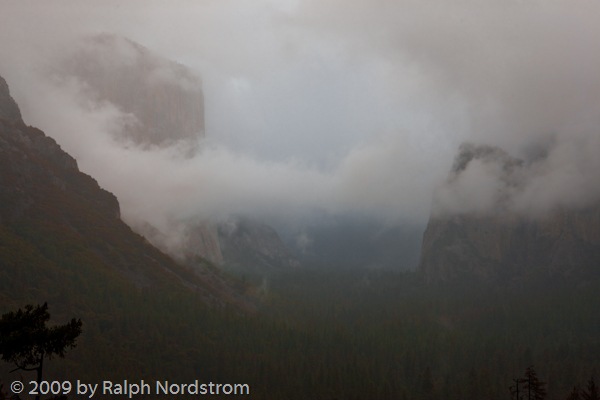
I’m working on one of the photographs taken there that weekend.  But before showing you the image, let’s start with some comments about the light.  Sunset was a near cloudless sky.  The only clouds were a few cotton balls floating over Half Dome.  The rest of the sky was clear.  As the sun set the shadows filled the valley, eventually claiming to the tops of the cliff faces.  But as they did beautiful warm light embraced the the mighty granite but gradually gave way to approaching night.

The morning was quite the opposite.  During the night the anticipated storm rolled in and rain started to fall.  The valley was now full of clouds swirling about, shrouding the eternal granite.  And snow flurries came, keeping all of us at Tunnel View on our toes, protecting our camera gear and warming our fingers.

It was an image from the morning shoot that I selected to work on.  There were long periods of waiting.  The snow flurries passed over us and moved on up the valley obscuring most or all of it.  Then they would pass but the clouds wouldn’t be in the right positions.  Eventually a wonderful, exciting light came shortly after sunrise, imparting a very faint warm cast to some of the clouds.  The rest of the scene was cool, both in light quality and air temperature.

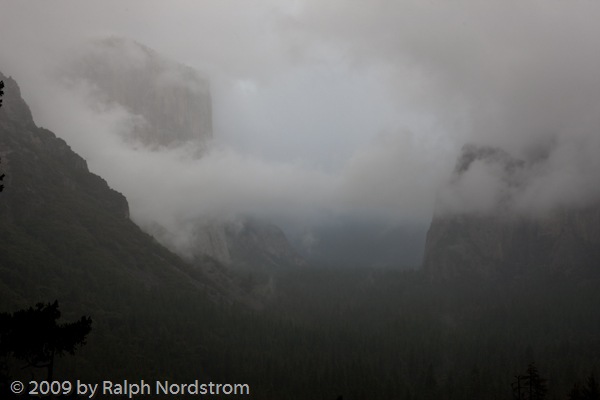
Yosemite_1This is the image I started from as it appears unaltered in Lightroom.  I selected it because of the sense of mystery created by the clouds that just give us glimpses of Bridle Vail Falls and the Cathedral Spires on the right and towering El Capitan on the left.  The hints of the beautiful warm hues in the clouds that I would try to pull from the image are present but not apparent in this image.  Rather, we see the predominantly cool mood.

Over the next several posts I’ll take you through the process of trying to recreate what I saw and felt that morning as well as what I discovered in this image.  There were some wonderful surprises in store.  So stay tuned.

The journey continues – read part 2.

To see more of my photographs click here.

Join me on an upcoming workshop.

Become a fan on Facebook and follow along.

(1096)

24 Hours in Yosemite

It had been way too long, too many years, since I was last in Yosemite Valley.  I’ll tell you how long it was.  I didn’t even have a decent camera at the time.  So a chance to spend just one night there was, well, something I was not going to pass up.

It was late Saturday afternoon when we arrived in the valley.  The sky was clear with a few scattered clouds.  My wonder at the immensity of the walls was reawakened as I drove to Curry Village.  There was enough time to check in and make it back to Tunnel View for what was to prove to be a very nice sunset.  It wasn’t one of those million dollar sunsets but nice nevertheless.

Continue reading “24 Hours in Yosemite”

(626)

Eastern Sierra Workshop – Mono Lake Morning Song


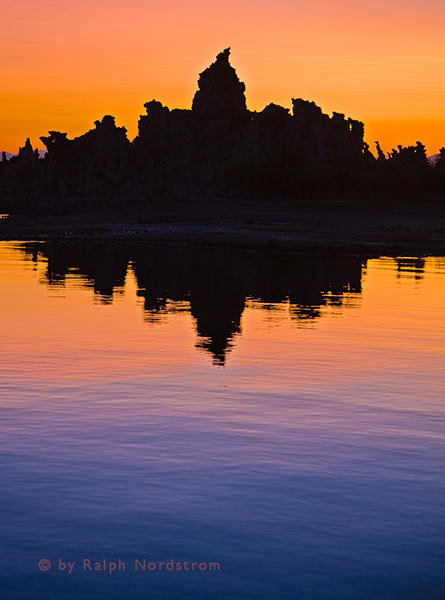
The sunrise was about the orange sky and the blue water.  There were only about 20 or so of us on the lake shore that morning.  The water continues to recede.  There wasn’t a cloud in the sky but it didn’t matter.  It was an intense orange.  And the water was an equally intense blue.  Some mornings on Mono Lake are violent, wind-tossed affairs.  But this morning was tranquil and energetic, both at the same time, a peaceful glory, a song that touches the soul.

 
Mono Lake Morning Song

(637)