Photography Tutorial – Moving Water

Landscape photographers love to photograph moving water – waterfalls, rapids, even water quietly slipping over a rock.

When photographing moving water the primary exposure consideration is shutter speed.  A very short shutter speed, say 1/500 sec, can produce the ‘ice sculpture’ look’ in which the water is suspended in shiny, crystal clear forms.  This can be very effective and exciting.  As the shutter speed is lengthened, say to 1/15 sec,  the water begins to blur.  First you see little short traces of each of the drops.  Then as the exposure lengthens to a half second or more the traces merge together into the beautiful effects we love.  Really long exposure of 2 or more seconds produce a misty effect in which nearly all texture in the water is replaced with soft clouds of light.

But how do you get the long exposures you need, especially on a bright sunny day.

Continue reading “Photography Tutorial – Moving Water”

(3043)

Mastering Exposure

This article pulls together several articles on exposure and makes them available in one place.

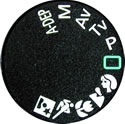
In my photography workshops and one-on-one training I frequently have people ask me if the workshops are suitable for novices.  They go on to explain that they think they have a good eye but are a bit baffled by their camera, especially when it comes modesto exposure.  They just put their camera’s exposure mode dial on the little green rectangle (the fully automated mode) and shoot away. In other words, the camera makes all the decisions regarding exposure – ISO, f/stop and shutter speed.  But the camera’s built in light meter is often fooled and the exposure is off.

Getting the correct exposure is one of the most essential first steps in getting a great photograph.  I see a lot of photographs that have compelling compositions but are poorly exposed and the potential impact is lost.  So for those individuals who are interested in taking a photography workshop but aren’t at least passingly familiar with the operation of their camera with regards to exposure, I have a number of posts dealing with the topic that I refer them to.  I thought I’d pull them all together in a single post to make them easier to find.


Continue reading “Mastering Exposure”

(831)

Photography Tutorial – Light Meter

There’s something I’ve been puzzling about for a long time.  So I finally decided to check it out and share the results with you.  I wanted to know the relationship between the camera’s built-in light meter and the histogram.  OK, sounds geeky so what exactly am I talking about and why do I care?

Continue reading “Photography Tutorial – Light Meter”

(1469)

Photoshop Tutorial – Atmospheric Haze

Haze is an integral part of landscape photography.  Distant mountains are not as clear as close up objects.  They lack contrast, are often lighter and may even appear blue or even purple (purple mountain majesty).  It’s interesting that in the history of Western art, painters didn’t incorporate atmosphere into their paintings with landscapes until the Renaissance.

Continue reading “Photoshop Tutorial – Atmospheric Haze”

(6202)

Photoshop Tutorial – Black Point

What makes a compelling photograph?  Well, there are quite a number of things and one of them is “Black point”.  But before proceeding, let’s take a quick step backwards.

Photographs look better if they utilize most of not all of the inherent dynamic range of the medium, be that paper, a computer monitor or some other electronic medium.  This is to say that the image has deep shadows, brilliant highlights and the full range of tonalities in between.   It’s the difference between a flat image and an exciting one.  Here’s a nice flat image.

kolob_canyon_flat Kolob Canyon Flat Image

Continue reading “Photoshop Tutorial – Black Point”

(17224)

Lightroom Tutorial – Expose to the Right

For a followup post read

http://ralphnordstromphotography.com/wordpress/articles/how-to-articles/expose-revisited/

The light meters in our digital cameras don’t always give us the best exposure.  That’s not to say that they give us the wrong exposure.  But the ‘correct’ exposure doesn’t necessarily produce the best image file as far as post processing is concerned, especially if we’re shooting RAW.

If you expose an image at the exposure selected by your light meter and check the histogram, chances are it’s skewed a little to the left, toward the shadows.  This is especially apparent in low contrast scenes.  The image might look great on the camera’s LCD and in Lightroom.  But a slightly overexposed image will capture more information and is therefore better to work with later – given of course that it’s not so overexposed that you have highlight clipping.  An ideal histogram is one that is just to the right of center.  This technique is called ‘Expose to the Right,’ and is practiced by many of digital photographers.

Continue reading “Lightroom Tutorial – Expose to the Right”

(8054)

Principles of Composition – Chaos

“… nature – unadulterated and unimproved by man – is simply chaos.” Edward Weston.

There’s no argument that Edward Weston was one of the finest photographers that ever tripped a shutter.  And one of the aspects of his photography that he is most revered for is his compositions.  He was the absolute master in his studio but when it came to photographing nature he admitted that it was the most difficult of all.  Why?  Because nature is chaos.

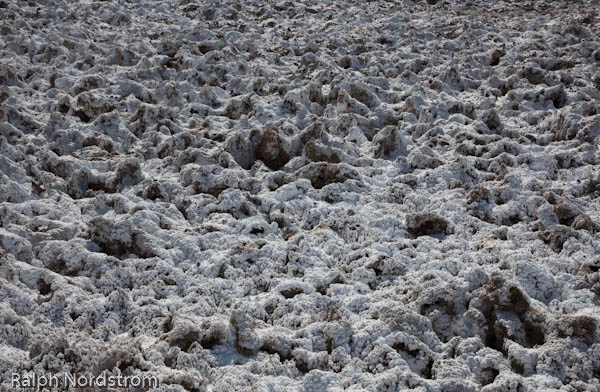
Nature is Chaos - Death Valley National Park Nature is Chaos

Continue reading “Principles of Composition – Chaos”

(1936)

Photo Foundations – Focus

When I’m asked how I get such intense landscape photographs I respond that it all begins with the fundamentals, the photo foundation.  Given that you have the other elements of a great photograph – a terrific subject and fantastic light – you are still not guaranteed a compelling image if it doesn’t have a solid foundation.

What is the photo foundation?  It’s two things – a proper exposure and the correct focus.  These are so basic we never talk about them much but, if you’re like me, you’ve had to walk away from a potentially great image because one or both of these were not carefully attended to in the field.

This post discusses focus.

Focus


Sharp images are the goal of most landscape photographers.  We have two options when it comes to focusing – autofocus and manual focus.

Autofocus


Cameras use multiple built in focus points to focus the lens.  When you depress the shutter half way, the processor in the camera determines which of these focus points to use and which to ignore.  It then focuses the lens.  The processors are extremely sophisticated and generally do a very good job.

But not all the time.  Sometimes they choose the wrong focus points.  Fortunately, most digital cameras allow you to tell the camera what focus point to use.

One thing to take into consideration when using auto focus is the fact that the focus may be off ever so slightly.  This can be corrected by sending your camera and lenses to your manufacturer’s service center and having them calibrate your body to your lenses.

Manual Focus


With early film cameras manual focus was the only way to go.  Various devices were used to help the photographer get a sharp focus including prisms and split images.

But without these devices it’s difficult to manually focus while looking through the view finder of a digital camera.  But with the development of Live View (the ability to see your image before you capture it) on digital SLRs, manual focus is now the most precise way to focus.  Here’s how.

Display the image on you LCD screen using live view.  Select the object you want to focus on and zoom in on it.  Focus the lens (make sure it is set to manual focus) and zoom back out.  Take your picture.  It’s as easy as that.

Hyper Focal Distance


Above we’re referred several times to selecting the object you want to focus on.  But how do you do that?

The goal is to have the nearest and farthest objects both in focus.  This requires two things – depth of field and focusing at the hyper focal distance.  What’s that?  Well, simply put, at any given depth of field it is the distance that will have objects at infinity just in focus.  You don’t want to focus on the objects at infinity because that will place your foreground objects out of focus.  And you don’t want to focus on your foreground objects because infinity will be out of focus.  You want to focus somewhere in between.  But where?

Generally speaking, given that your depth of field is adequate to cover both foreground and background, you want to focus 1/3 the distance between your closest foreground object and infinity.  That’s because the depth of field is much shallower in front of the focal distance than it is behind.

You can actually print charts off the internet or by little circular slide rules that give you the depth of field and the hyper focal distance for any aperture – focal length combination.  I know photographers that carry a tape measure in their camera bags to precisely determine the hyper focal distance.

But there’s an easier way.  On your live view screen or through your view finder, select an object that is 1/3 of the way up from the bottom of the frame and focus on it.  Then shoot at f/22 and you got it.  However, if you are concerned about the effects of diffraction then maybe the circular slide rule calculator would be a good idea, if nothing more than to give you extra piece of mind.

Selective Focus


The opposite of a large depth of field is selective focus.  The goal is to have a very limited part of the image in focus and the rest out of focus.  To do this you minimize the depth of field by shooting with a wide open lens; that is, maximum aperture.  Longer focal length lenses have a shorter depth of field so one technique you might try is moving away from the subject and shooting wide open with a longer focal length lens.

When you’re using selective focus it’s critical that you get a very sharp focus on your subject.  In a flower that may be the pistils and stamens.  I wildlife, it’s the eyes.

Hand Held Photography


It’s worth mentioning hand held photography.  Most of the time landscape photographers will use a tripod to get the greatest sharpness in their images.  But there’s a freedom and spontaneity that comes with hand held photography.  And it’s still possible to get sharp images although not as sharp as you can get from your tripod.

The trick is to match the shutter speed with your focal length.  The formula is very simple.  The shutter speed should be 1 divided by the  focal length or faster.  For example, if your focal length is 50mm then you can get a sharp image if your shutter  speed is at least 1/50.  If your focal length is 200mm then you need to use a shutter speed of 1/200 or shorter.

You also want to do everything else to steady your camera like tucking your left elbow into your chest to give the camera a solid platform with your body.

Focus Summary


In summary, to get the sharpness you desire, first determine what object you want to focus on.  Determine the aperture and focal length settings that will give you the depth of field you want whether it’s hyper focal distance or selective focus.  Then focus.  If you’re using autofocus, select the focus point that is on the object you decided to focus on.  If you’re using manual focus, use live view to zoom in on the focus object.

Well focused, sharp images will provide your photographs with a strong photo foundation.

(1015)

Photo Foundations – Exposure

When I’m asked how I get such intense landscape photographs I respond that it all begins with the fundamentals, the photographic foundation.  Given that you have the other elements of a great photograph – a terrific subject and fantastic light – you are still not guaranteed a compelling image if it doesn’t have a solid foundation.

What is the photographic foundation?  It’s two things – a proper exposure and the correct focus.  These are so basic we never talk about them very much but, if you’re like me, you’ve had to walk away from a potentially great image because one or both of these were not carefully attended to in the field.

So let’s talk about exposure.

Continue reading “Photo Foundations – Exposure”

(1854)

Photoshop Tutorial – Neutral Grays

On how to adjust an area of a photograph to a neutral shade of black, gray or white.

I got a Photoshop question from Lynne in Iowa, a dear friend for many years.  She asked how you could adjust an area of an image to make it pure white.  I gave her a quick email response that outlined a technique but the question really deserves a more detailed and complete answer.  So, Lynne, this is for you and anyone else who encounters this situation in Photoshop.

In this Photoshop tutorial I am going to show you how to make this correction using an adjustment layer.  This technique actually applies to two situations that are encountered quite often – getting neutral blacks and neutral whites.

Continue reading “Photoshop Tutorial – Neutral Grays”

(1402)