Mastering Composition – Rule of Thirds

Use the Rule of Thirds to create visual tension in your images and stimulate the viewer’s interest.

The Rule of Thirds is a compositional principle that is widely used. And for good reason because, well, it works.  At least, it works in a lot of situations.

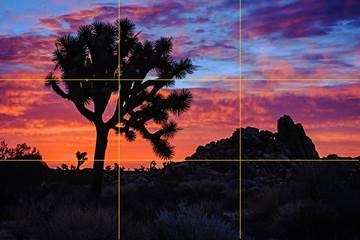
What is the Rule of Thirds? You superimpose a tic-tac-toe grid on your image, two vertical lines equally spaced and two horizontal lines equally spaced. Then you place the key elements of your image on or near those lines, or at one of their intersections.  They don’t have to be exactly on the lines or intersections, just near them.  This is art, not engineering, so it’s important that it feels right.  But the Rule of Thirds gives us positions that are visually very strong and command the viewer’s attention.  That’s why you want to use this principle for the key elements of your composition, the elements you want to draw the viewer’s eye to.

clip_image002

One should be cautious in overusing the Rule of Thirds. It should not be applied mechanically and certainly not universally.  It does not apply to all compositions.  After all, aren’t our ‘Rules’ of composition made to be broken?  But on the other hand, sometimes a composition gets just a little bit stronger when you move the key element just a tiny bit to place it closer to or right on a 1/3rd line.

The fact is it works so well in so many situations that the camera manufacturers give us the ability to display the grid on our camera’s LCD screens and viewfinders. Also, software publishers like Adobe display the grid when we use the crop tool. This is true of Elements, Lightroom and Photoshop. And these aids can be very helpful in achieving strong compositions.

Why does the Rule of Thirds work so well? To answer that let’s talk about Visual Tension.

Continue reading “Mastering Composition – Rule of Thirds”

(2867)

Ansel Adams – The Making of 40 Photographs

A continuing series of posts inspired by Ansel Adams’ book “Examples – The Making of 40 Photographs.” In this post, the 1932 photograph “Alfred Stieglitz: An American Place.”

I’m continuing my journey through this marvelous book, “Examples – The Making of 40 Photographs” by Ansel Adams.  It’s a fascinating experience.  Much of the legacy of Ansel Adams is distorted these days because of all the hype about him in the press.  But to read the master’s own words is inspiring and refreshing.

Alfred Stieglitz, An American Place
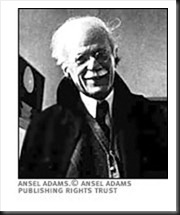
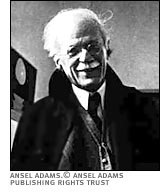
Alfred Stieglitz

I could only find this tiny rendition of the photograph Adams discusses in his book.  So I apologize for the quality.  But the story is the important thing.

Adams’ main cameras were large view cameras.  I have two 8X10 prints of his hanging in our home, contact prints made directly from 8X10 negatives.  In fact, most photographers of the time (1932) photographed with large format cameras and their prints were contact prints.  Photographers that used enlargers were extremely rare.

This photograph of Stieglitz was taken with an amazing new device, a Zeiss Contax 35mm camera.  It was taken when Adams visited Stieglitz’s gallery in New York to show some of his photographs to the one most people considered the finest photographer in the country.  Stieglitz was impressed and arranged for Adams to have a one person show.

Adams commented on his experiences using a small camera which sounds very similar to today’s comments regarding digital SLRs.

“Small cameras make pictures far more immediate; and many negatives could be made in the time required to produce one with a sheet-film camera.  The technique of 35mm photography appears simple, yet it becomes very difficult and exacting at the highest levels.  One is beguiled by the quick finder-viewing and operation, and by the very questionable inclination to make may photographs with the hope that some will be good….  The best 35mm photographers I have known work with great efficiency, making every exposure with perceptive care….”

One can substitute ‘DSLR’ for ‘small camera’ and the statement rings just as true today.

Having photographed in the past with a 4X5 camera I know the slow, exacting deliberation it takes and often think that this is a desirable approach with my Canon 1Ds Mark III and even my Canon G11.  The latter especially is great for spontaneous photography.  Setting up the Mark III is a much more deliberate process but not like setting up a 4X5.  I like to encourage my workshop students to slow down, connect with the land and then try to capture what they are feeling.  You don’t get this from chasing after as many  captures as you can find.

I was standing next to a large format photographer on ‘The Bridge” in Zion National Park at sunset.  He was shooting 8X10 color film.  I asked him how much it cost to press the shutter.  He replied, “$35.”  The light didn’t happen that time and he did not press the shutter.   One of the beauties of digital photography is that it doesn’t cost us anything to press the shutter.  But if it did, we would slow down and our photography would benefit from it.

In researching for this post I came across a letter by Ansel Adams that I must share with you.  The letter was written to his good friend Cedric Wright.  Adams had just come through a period where he was emotionally torn between passion for his beautiful lab assistant and commitment to his wife Virginia and their two children.  He had a clarifying moment in Yosemite when he observed a glorious thundercloud over Half Dome, a moment in which he saw clearly the meaning of love, friendship and art.  Here is what he wrote.

“Dear Cedric,

“A strange thing happened to me today. I saw a big thundercloud move down over Half Dome, and it was so big and clear and brilliant that it made me see many things that were drifting around inside of me; things that relate to those who are loved and those who are real friends.

“For the first time I know what love is; what friends are; and what art should be.

“Love is a seeking for a way of life; the way that cannot be followed alone; the resonance of all spiritual and physical things….

“Friendship is another form of love — more passive perhaps, but full of the transmitting and acceptances of things like thunderclouds and grass and the clean granite of reality.

“Art is both love and friendship and understanding: the desire to give. It is not charity, which is the giving of things. It is more than kindness, which is the giving of self. It is both the taking and giving of beauty, the turning out to the light of the inner folds of the awareness of the spirit. It is a recreation on another plane of the realities of the world; the tragic and wonderful realities of earth and men, and of all the interrelations of these.

“Ansel”

Join me on an upcoming workshop.  Click here for more details.

To see more of my photographs click here.

WordPress Tags: Ansel,Adams,legacy,Stieglitz,American,Place,Photographers,Zeiss,Contax,gallery,SLRs,pictures,sheet film,technique,photography,exposure,DSLR,Canon 1Ds Mark III,photography workshop,Zion,National,Park,sunset,friend,passion,commitment,wife,Virginia,children,moment,Yosemite,Half,Dome,friendship,Here,Dear,friends,Love,life,resonance,grass,granite,self,world,earth,students,cameras,camera,photographer,digital,thundercloud

(2522)

Making a Photograph – Vision

Develop your vision and express yourself through your photographs.

“This photograph speaks to me.”

The photographs that have a strong impact on us speak to us.  The photographer has created an image that moves us.  Did he or she have something in mind when making the photograph?  Probably so.  Strong images just don’t happen by accident.

As one grows as a photographer one’s vision becomes clearer.  One begins to discover who they are and what they have to say.  And as one’s technical and aesthetic skills develop, skills used in both the field and the darkroom, one’s ability to express their vision becomes stronger.

The artist’s vision is an important element of their art.  The clearer an artist is on what his or her vision is the more expressive their art becomes.

If you’re not clear on what your vision is, live with your photographs.  Become aware of what you associate with them, what stories they are telling you, how they make you feel.  And as your vision emerges nurture it, strengthen it, let it speak through you and your art.  And then your photographs will also speak to others.

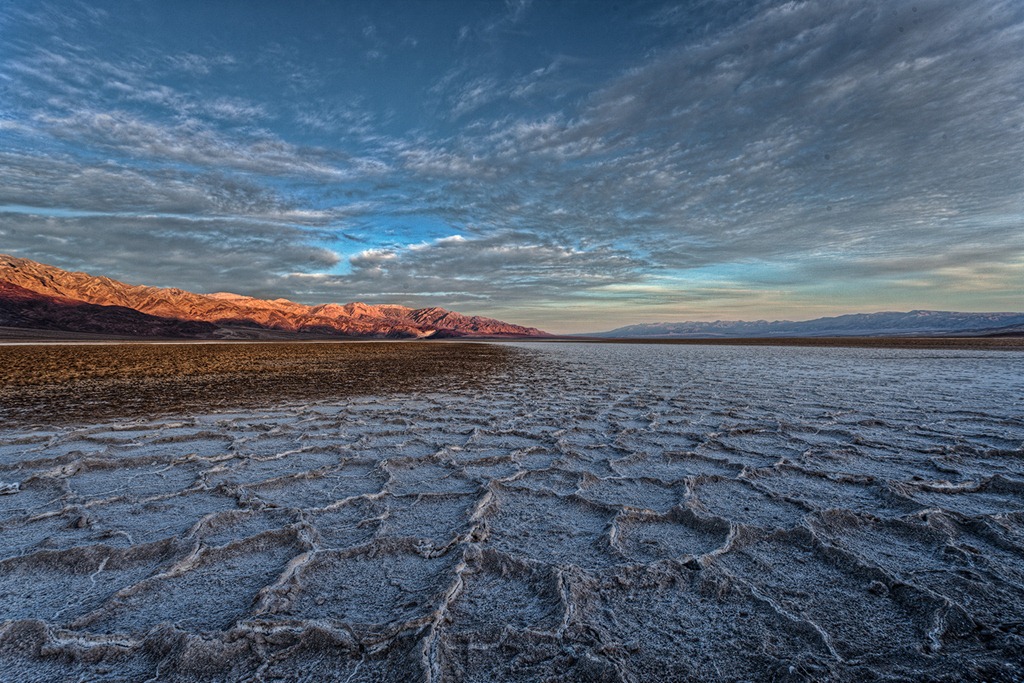
death_valley_sunrise_2012

We do photography workshops.  Come on out and join us.  Click here to check us out.

You can also check out our photography.  Click here.

Technorati Tags: ,,,,,,,
WordPress Tags: technical,aesthetic,Photograph,Vision,impact,photographer,skills,artist

(3290)

Mastering Exposure–Histograms Part 3

This is the third post in a series on the histogram. This post discusses the Rocky Mountain histogram, what it is, when you can get it, how to photograph and how to do the post processing.

This is the third post in a continuing series on the oft misunderstood but oh so important histogram.  In the first two posts we discussed the histogram in general.  If you missed them, click on these links.

Mastering Exposure – Histograms Part 1

Mastering Exposure – Histograms Part 2

Recap

To recap, the histogram displays a graph of the tonal values in the scene you are about to photograph.  It shows how the dynamic range of the scene matches and fits into the dynamic range of your camera’s sensor.  There are two critical pieces of information a histogram tells you:

  1. If your exposure is correct
  2. If you have problems capturing the dynamic range of the scene

To recap, the exposure is displayed by the position of the histogram curve within the boundaries of the graph area.  As you increase the exposure the histogram moves to the right.  As you decrease the exposure it moves to the left.  If the exposure is increased so that the histogram moves all the way up against the right side of the graph area you will have highlight clipping. Likewise, if it moves all the way to the left side you will have shadow clipping.

The dynamic range of the scene is displayed as the breadth of the histogram,  The wider the histogram the greater the dynamic range of the scene.  The narrower the histogram the lower the dynamic range.  When the histogram is so wide that it extends from one end of the graph area to the other you are facing a situation where your camera’s sensor will have a difficult time capturing the full dynamic range of the scene.  The worst case is you will have both highlight and shadow clipping.

Continue reading “Mastering Exposure–Histograms Part 3”

(2333)

zabriskie_point_7_2009_600

I thought I knew where I wanted this image to go but it had a mind of its own – beyond realism, beyond believability even, into pure emotion.

(416)

Lightroom Tutorial – Expose to the Right

For a followup post read

http://ralphnordstromphotography.com/wordpress/articles/how-to-articles/expose-revisited/

The light meters in our digital cameras don’t always give us the best exposure.  That’s not to say that they give us the wrong exposure.  But the ‘correct’ exposure doesn’t necessarily produce the best image file as far as post processing is concerned, especially if we’re shooting RAW.

If you expose an image at the exposure selected by your light meter and check the histogram, chances are it’s skewed a little to the left, toward the shadows.  This is especially apparent in low contrast scenes.  The image might look great on the camera’s LCD and in Lightroom.  But a slightly overexposed image will capture more information and is therefore better to work with later – given of course that it’s not so overexposed that you have highlight clipping.  An ideal histogram is one that is just to the right of center.  This technique is called ‘Expose to the Right,’ and is practiced by many of digital photographers.

Continue reading “Lightroom Tutorial – Expose to the Right”

(8054)

Composition – Rule of Thirds

A short discussion of the rule of thirds with examples.

There’s a simple compositional technique you can apply to quickly improve the quality of your pictures.  It’s fun and easy and works in so many situations.  It’s called the “Rule of Thirds,” and it goes a little something like this.

Continue reading “Composition – Rule of Thirds”

(1857)

The Making of a Photograph Part 3 – Photoshop First Round

In part one and two of this series I described how I selected the file to work on and explored the potential of the image in Lightroom.  The treatment I ended up with would be exported into Photoshop and we go from there.

Read Part 1

Read Part 2

After trying several approaches particularly with regard to the color of the light I selected one that was very much like the unadjusted file.  The only change was opening up the shadows in the valley floor a bit.

Yosemite_4Now the fun begins.  While Lightroom 2.x supports local adjustments I prefer to do the local adjustments in Photoshop.  I just feel that I have more control in Photoshop.

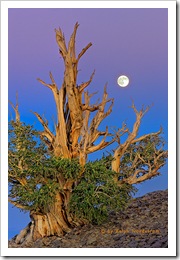
The first thing to deal with is the silhouette of the pint tree in the lower left hand corner.  I used the clone stamp tool to get rid of that.  I have no qualms about removing things that distract from the image.  But I draw the line at adding things.  Someone asked me if I added the moon in Bristlecone Moonrise.  No, I was there and that was the moon.  What’s the point of faking it.  The experience in the field would simply not be the same.  It’s so exciting to take an image like this and think you’ve got it.  But there’s always the nagging doubt in the back of your head wondering if you overlooked something and messed it up.   You never know until you get back at your computer to see what you really have.

bristlecone_moon_2008

But back to Yosemite.  So the pine tree silhouette had to go.  Also, I checked the image for dust spots and only found one or two.  The spot healing brush took care of them.

The next step was to do some local adjustments with Viveza.  It’s a cool tool from Nik Software that allows you to select an area and control brightness, contrast, saturation and more.  The clouds in the upper right needed contrast enhanced a little.  Next a couple of Curves with layer masks helped open up the valley floor even more.  I tried some vignetting on the bottom and really liked the way it funneled the eye into the center of the image where everything was happening.  I didn’t think I’d need any  vignetting for the top corners but tried it anyway and liked that too.

I made some global adjustments too.  Selective Color helped warm the reds with some yellow, lighten the yellows and darken the blues.  Color Balance also shifted the overall color just a couple points to the yellow.

Sorry I don’t have images of each of the steps along the way but that pretty much finished up the first evening.  The image was starting to get interesting and it was time to sleep on it and come back another day to take a fresh look at it.

Yosemite_1
Original Capture
Yosemite_Edit_1
After Photoshop Session 1

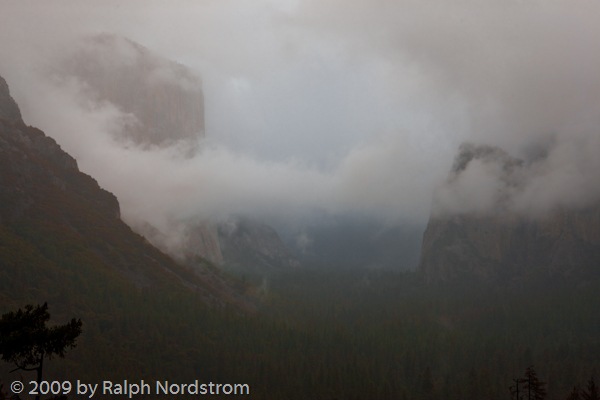
Here are the two side-by-side.  It’s starting to take shape.  There’s a little hint of warmth in the clouds and they stand out more from the background.  The valley floor is better defined and the trees stand out a bit more.  There’s actually a subtle feeling of warm light down there.  El Cap and Bridle Vail Falls also are more prominent and their warmer tones contrast more with the overall picture’s coolness.  You can click on the images to enlarge them.

Even before I fell asleep that night I was thinking of what needed to be done next.  As you work on an image you become satiated to the colors, tonalities and contrast and you can’t tell if they are good or not.  You also get emotionally involved.  So it’s good to stop, get away from it and return another day.  Sometimes when you return you are pleased and other times you say to yourself, “What was I thinking?”  When I get the latter reaction it usually means starting over from the beginning.  We’ll come back to this technique when you get far enough along to start making proofs.

So come back for #4 in this series to see if I  said, “What was I thinking?” or if I picked up from where I left off.

To see more of my photographs click here.

Join me on an upcoming workshop.

Become a fan on Facebook and follow along.

(1045)

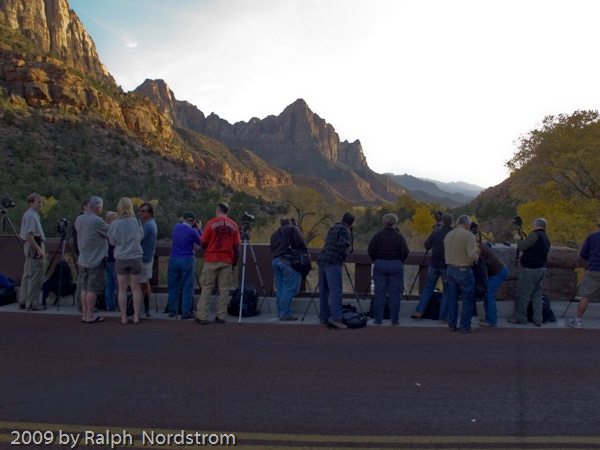
On the Virgin River Bridge at Sunset

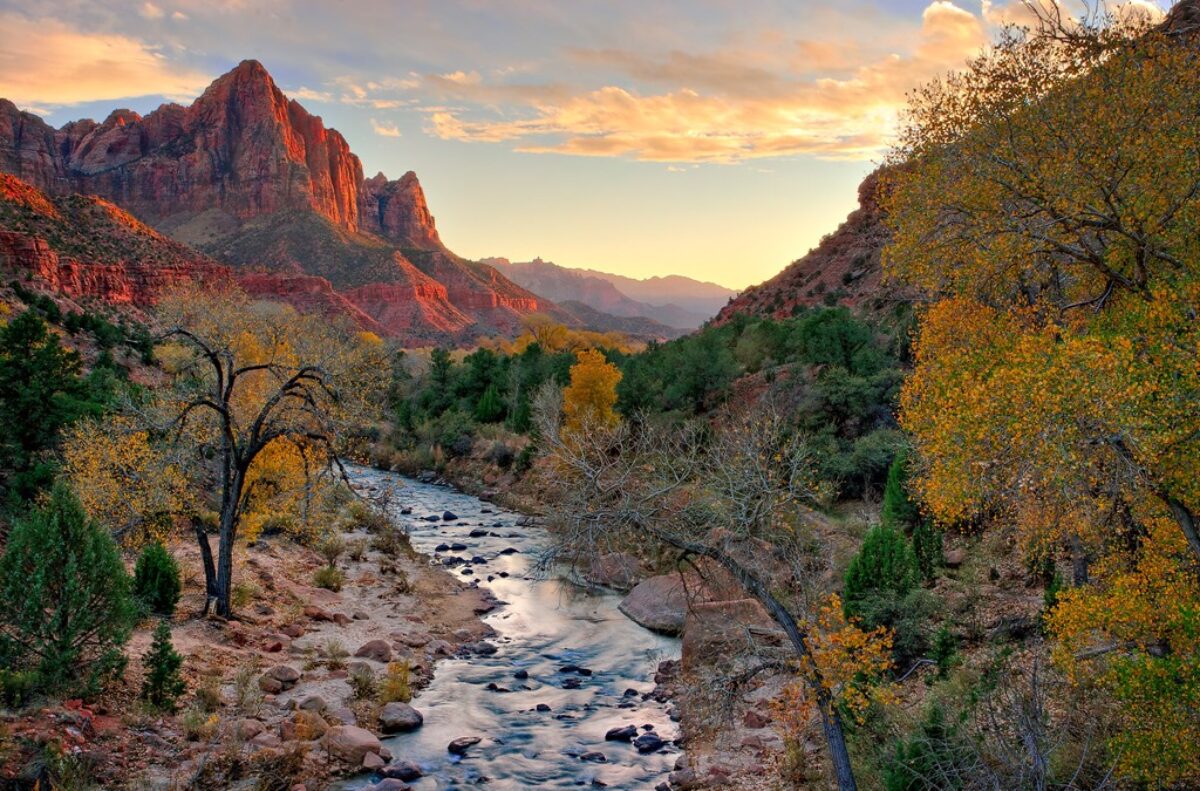
Zion National Park in Southwest Utah has a sundown tradition amongst photographers of all kinds.  We gather on the bridge over the Virgin River in hopes of being there for one of those spectacular sunsets that can only be viewed here.

It doesn’t always happen.  But the ritual continues.  About two hours before sunset we start assembling.  Talk to your fellow photographers and you’ll likely find people from around the world.  Or, someone from your own back yard.

Soon the crowd builds and begins to spread out across the bridge, jockeying for the best locations.  So we tend to bunch up around the premium spots.

(c) 2009 by Ralph Nordstrom

Continue reading “On the Virgin River Bridge at Sunset”

(610)

The Making of a Photograph Part 1 – Selection

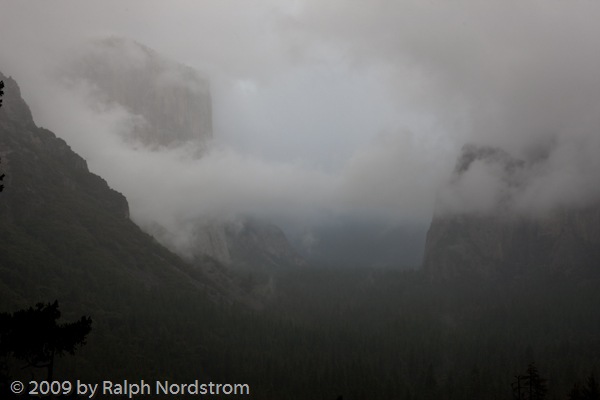
I spent a night in Yosemite Valley a few weeks ago.  See 24 Hours in Yosemite.  It was great to be back; no, it was fantastic to be back.  Both sunset and the following sunrise were shot from Tunnel View, the parking area just as you emerge from the tunnel on state highway 41.  You can always count on company, especially for sunset.

I’m working on one of the photographs taken there that weekend.  But before showing you the image, let’s start with some comments about the light.  Sunset was a near cloudless sky.  The only clouds were a few cotton balls floating over Half Dome.  The rest of the sky was clear.  As the sun set the shadows filled the valley, eventually claiming to the tops of the cliff faces.  But as they did beautiful warm light embraced the the mighty granite but gradually gave way to approaching night.

The morning was quite the opposite.  During the night the anticipated storm rolled in and rain started to fall.  The valley was now full of clouds swirling about, shrouding the eternal granite.  And snow flurries came, keeping all of us at Tunnel View on our toes, protecting our camera gear and warming our fingers.

It was an image from the morning shoot that I selected to work on.  There were long periods of waiting.  The snow flurries passed over us and moved on up the valley obscuring most or all of it.  Then they would pass but the clouds wouldn’t be in the right positions.  Eventually a wonderful, exciting light came shortly after sunrise, imparting a very faint warm cast to some of the clouds.  The rest of the scene was cool, both in light quality and air temperature.

Yosemite_1This is the image I started from as it appears unaltered in Lightroom.  I selected it because of the sense of mystery created by the clouds that just give us glimpses of Bridle Vail Falls and the Cathedral Spires on the right and towering El Capitan on the left.  The hints of the beautiful warm hues in the clouds that I would try to pull from the image are present but not apparent in this image.  Rather, we see the predominantly cool mood.

Over the next several posts I’ll take you through the process of trying to recreate what I saw and felt that morning as well as what I discovered in this image.  There were some wonderful surprises in store.  So stay tuned.

The journey continues – read part 2.

To see more of my photographs click here.

Join me on an upcoming workshop.

Become a fan on Facebook and follow along.

(1096)