Why HDR?

Many photographers think HDR is a bad thing and avoid it like the plague. But it’s harmless and can be useful. Read on….

Why HDR?

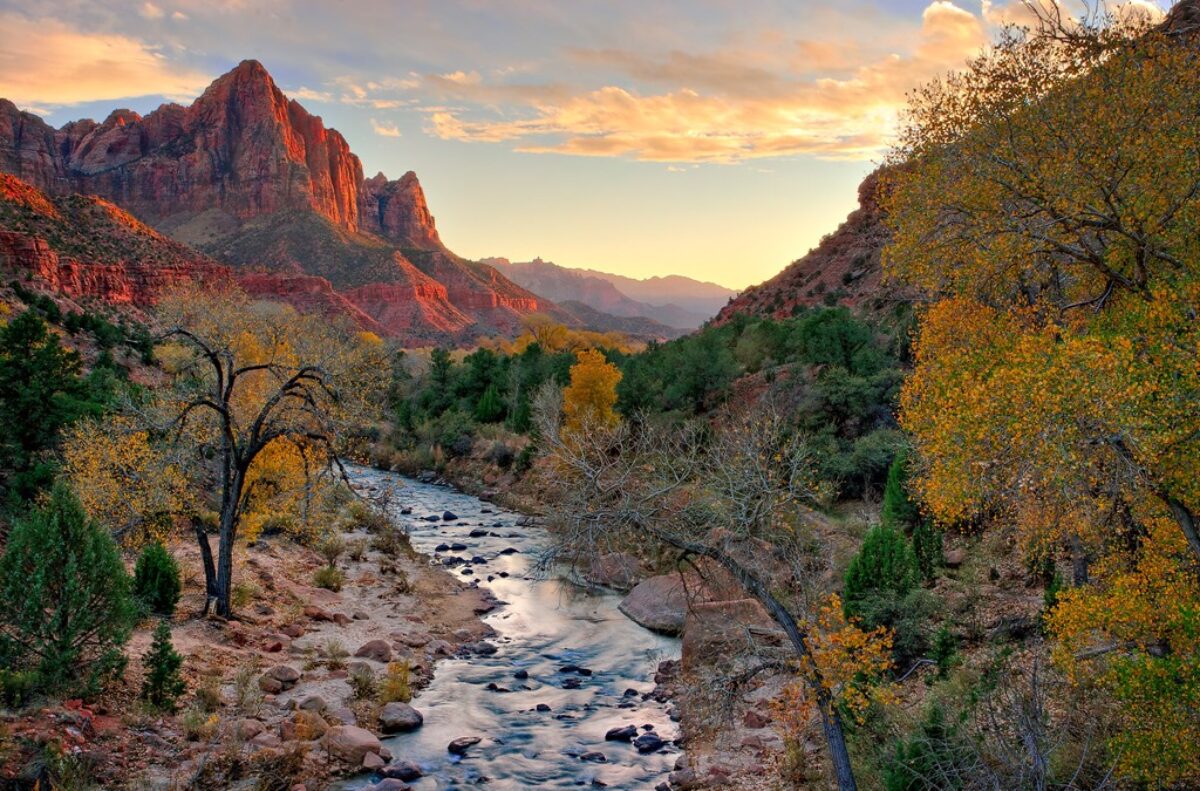
For many photographers, the term HDR is associated with a style of photography that is rather absurd – the grunge look.  I’ve heard experienced photographers say they don’t use HDR because they don’t like the results.  When the beta version of Photomatix, a product created by HDRsoft, made its debut on November 20, 2008, it automated a manual process that landscape photographers were using at the time.  Occasionally, they would encounter situations where the dynamic range of the scene they wanted to photograph was greater than what the dynamic range their camera’s sensor could capture.  So, they took two shots at different exposures that, when put together, covered the whole dynamic range of the scene.  Then they stacked the two images in Photoshop and created masks to expose the highlights from the underexposed image and the shadows from the overexposed image.  The final result was an image that captured the full dynamic range of the scene.  Photomatix simplified this process by doing the blending.  But instead of blending just two images Photomatix could blend three, four or even five images.

Photomatix also gave the photographer a choice on several different ways of blending the images.  Grunge was just one of them and it took off like wildfire.  There were a few grunge photos that were excellent, but most were mediocre at best.  For many people, HDR became associated with the grunge look which gave it its bad name, and it became poor taste to shoot HDR.

But dealing with dynamic ranges in a scene that exceeds the technologies of the day wasn’t new.  It goes back to the beginning of photography in the 1860s.  After all, all cameras so far have a limit to the dynamic range they can capture whether they use Daguerreotypes, wet plates, dry plates, film or digital.

Continue reading “Why HDR?”

(114)

Photographing in a Wine Cellar

How to get good photographs from photographing hand-held in dark conditions.

I was at a fabulous winery in Napa Valley, California.  (If you’re a wine lover like I am, you don’t need me to tell you that Napa Valley is in California so my apologies.)  The winery was Castello de Amorosa – the Castle of Love.  It is a replica of a medieval Italian castle.

Now let me clarify a misperception about the castle.  A rumor is going around that the castle was dismantled in Italy and reassembled in Napa Valley.  Not true.  Some pieces of the castle were brought over from Italy but the bulk of it is local stones.  Nevertheless, it’s a beautiful and authentic replica of the real thing.  It has a great room, chapel, a torture chamber, and honest to goodness wine cellars lined with hundreds of barrels of aging wine, which, by the way, is quite good.  (Don’t look for this wine in markets or gourmet restaurants however.  The only place it is sold is at the winery.  But if you would like to tour it, give me a call and I’ll meet you there.)

I was with a group, participants in the workshop I was leading, and we got a private tour.  We all had our cameras at the ready and were photographing just about everything, even the torture chamber (especially the torture chamber?).  The wine cellars were very dark, however, and the aisles extended for hundreds of feet.  There were dim light bulbs sparsely scattered the length of the aisles.  Some of the barrels had labels on them.  Celebrities frequently bought an entire barrel of aging wine, so these barrels were set aside for them.

I was eager to photograph the wine cellars but there was an exposure problem to solve.  I don’t have a tripod, I’m shooting hand-held, so I can’t rely on a lengthy shutter speeds for a good exposures.  So, each side of the exposure triangle posed a challenge and required a solution.  Let’s start with shutter speed.

What shutter speed should I use for handheld shooting?  Well, that depends on the focal length of the lens.  After all, the rule of thumb for sharp handheld images is 1/focal length.  OK, I knew that.  The lens I was using was my go-to 24mm to 105mm lens.  I didn’t want to have to change my shutter speed every time I zoomed to a different focal length, so I chose a speed of 1/120 sec that covers all the zooms up to and including the longest.  Now that’s really fast for a dark environment.  But hold on.  The lens has image stabilization which is good for 1 to 2 stops.  In other words, I can increase the exposure time by 1 to 2 stops and still get a sharp image.  So, being the cautious guy I am, I chose 1/60 sec.

But wait, I normally shoot Aperture Priority where the camera chooses the shutter speed.  Gotta switch to Manual.  OK, that’s done, and I set the shutter speed to 1/60 sec.

The next decision to make is the aperture.  If I shoot wide open, which for this lens is f/4.5, I don’t get the depth of field I need for shooting down the long dim aisles.  Now the depth of field will vary with the focal length so if I’m shooting at 24mm then I can use a fairly wide-open aperture but if I’m shooting at 105mm I need to stop way down, say f/11.  Once again, I didn’t want to have to change the aperture for every shot, so I went with f/11.

But a relatively fast shutter speed and a smaller aperture severely reduces the amount of light that passes through the lens and falls on the sensor.  That leads to the final decision.  What ISO should I use?  And not having eyes that work like light meters, I don’t have a clue.  Furthermore, something has to change from one lighting condition to another.  And since I’m setting and forgetting shutter speed and aperture, that adjustment falls on ISO.  Let the camera set the ISO.  Fortunately, my camera has Auto ISO, so I switched from ISO 100 to Auto.  And I’m all set.

Since the cellar is much darker than a sunny day at noon, the camera selected the higher ISOs and in the really dark places, maxed out the ISO.  As a result, many of the photographs have lots and lots of noise.  At the time I took these photographs, Lightroom’s noise reduction was state of the art, but state of the art then was not very good.  But that has all changed as a result of the AI tsunami and how everyone is going bonkers over it.  Lightroom now employs AI in their noise reduction function and it’s like magic.  The only thing is it can take a long time to do its magic, sometimes as much as 10 minutes and even more.  Oh well, it’s a small price to pay for a dramatically improved image.

So, here’s the camera’s setup.

  • Manual camera mode
  • Shutter speed = 1/max focal length but compensated for taking the lens’ or camera body’s image stabilization (vibration reduction for you Nikon folks) into account
  • F/stop that gives the desired depth of field for your longest focal length, such as, f/11.
  • Auto ISO

In the digital darkroom, Lightroom now has the power to deal effectively with the noise that the highest ISOs will invariably generate.  You may want to use third party noise reduction tools such as Topaz DeNoise AI which is faster than Lightroom and works as well with light to moderate noise.  But it’s more expensive than Lightroom, given that you’re already paying $10/month to use it.

OK, so that’s it as far as the photography aspect of Castello de Amoroso goes.  We ended up in the tasting room of course and I bought a rather expensive bottle of cabernet – 3 figures.  It was so good I couldn’t resist.  When I got home, we prepared a very special meal and opened the bottle.  Both wife and daughter said it was the best wine they had ever tasted.  I must confess, it was awfully good!

(173)

Polarizing Filters and Blue Skies

Polarizing filters are fantastic but they have their limitations that can get you into trouble if you’re not aware of them.

What comes to mind when you think of a polarizing filter? It’s probably how it can darken blue skies. This is just one of the many things this versatile polarizer can do. Many photographers swear by them and some go so far as to keep them on their lenses all the time. But as far as darkening blue skies are concerned, polarizers can create more problems than they solve if you’re not careful.

But before getting into all that, just exactly what does a polarizing filter do? How does it darken blue skies?

It all starts with the fact that light is a wave. We speak of the color of light in terms of the frequency of the wave, just as we speak of the pitch of a sound in terms of its frequency. Red light has a lower frequency and blue light, a higher frequency. It’s as if light vibrates – up and down. And most light vibrates in all directions. But some forms of light vibrate in a single direction. This is called polarized light. For example, glaring light bouncing off the highway can be polarized in a horizontal direction. That’s why Polaroid sunglasses work. They block horizontally polarized light while allowing light polarized in the other directions to pass.

The same is true of a blue sky, or at least some of it. Depending on where the sun is, blue sky light is polarized to a greater or lesser extent. If you stand facing the sun and look through your polarizer, you will notice that it has no effect – the sky is not darkened. But if you continue to look through the polarizer and slowly turn away from the sun you will notice the sky gets darker and darker until the sun is directly over your shoulder. Continuing your turn, the sky will get lighter and lighter until the sun is directly behind you.

…as far as darkening blue skies are concerned, polarizers can create more problems than they solve if you’re not careful.

You can tell in which direction the effect is the greatest with this simple trick.

Continue reading “Polarizing Filters and Blue Skies”

(2302)

Finding the Soul of a Photograph

Finding the soul of a photograph is a journey that can take many paths.

I often get asked if I manipulate my photographs.  My answer is always, “Yes, of course!”  But no one has ever asked, “Why?”  And I have an answer for that too.  “Because my camera doesn’t know what I’m feeling.”

For me, making a photograph is making art. I want to do more than capture where I’ve been and what I’ve seen.  I want to share with you what I feel when I’m out there.  And that is often more intense than what my eyes see.

I was in Long Valley last summer preparing for a photography class I was teaching for the Mount San Jacinto Natural History Association.  It was midday and I was walking around wearing my amber tinted Polaroid sun glasses.  Why do I mention my sun glasses?  Because I was getting very excited about what I was seeing.  And for those of you that know about midday light, it is anything but exciting.  But the amber tint of the glasses and the effect of the polarization on the sky and foliage got me excited.  Added to that was how good it felt to be back in these mountains after an absence of 15 years.

I want to share what I feel…. And that is often more intense than what my eyes see.

So, I asked myself if it was OK to make photographs that reflected my mental state when it contradicted the physical reality of what my eyes saw. 

Continue reading “Finding the Soul of a Photograph”

(223)

JPEG or RAW

Which file format is better – JPEG or RAW. Well, it depends….

Our digital cameras give us a choice of two file formats in which our images are stored – JPEG and RAW.  In fact, some digital cameras only store images in JPEG format.  What’s the difference and is one preferred over the other?  Let’s take a look at each.

But before we begin, I was curious what JPEG stands for, so I looked it up.  It’s pretty weird – Joint Photographic Experts Group.  Strange indeed.  But. be that as it may, JPEG is widely used.  Practically every image you see on the web is JPEG although you occasionally see other formats.  If you use a lab to print your photographs, there’s a good chance they will ask you to send them JPEG files.

Continue reading “JPEG or RAW”

(114)

Making a Photograph – Fort Point

Not long ago I was in San Francisco for some photography. I was interested in photographing Fort Point because it would be a good opportunity to emphasize design elements and abstractions. Fort Point is part of the National Park system and situated at the mouth of the San Francisco Bay. Its intent was to protect the bay from attack. Construction was completed in 1861. It never fired a shot.

If you’re interested in learning more about the fort, here are a couple of interesting links.

https://en.wikipedia.org/wiki/Fort_Point,_San_Francisco

https://www.nps.gov/fopo/learn/historyculture/index.htm

These “Making a Photograph” articles generally take a single, successful photograph and walk through the process of its creation from the moment of inspiration in the field to the finished product. What that doesn’t show is the scores of rejects that ended up in my memory card, what I was trying to do with them and how and why it didn’t work. I think there’s as much to be learned from the rejects as there is from the keepers.

So in this post I want to ‘air my dirty laundry’ so to speak and share with you not only the keepers but the rejects. I also want to take you through the process of looking deeper into the rejects in an effort to learn from my mistakes.

So come along with me as I share my flubs and successes at Fort Point. Continue reading “Making a Photograph – Fort Point”

(163)

Making a Photograph – Witch’s Hat

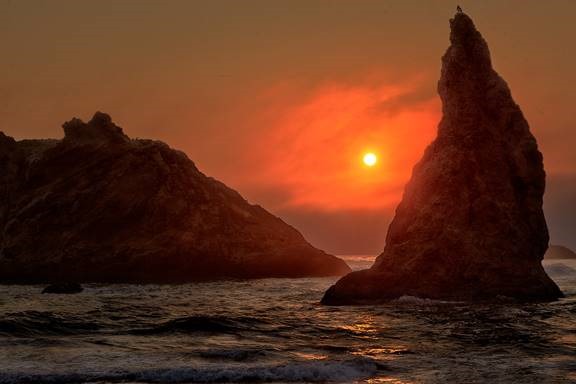
It’s no surprise that Bandon Beach in Oregon is a powerful attraction for photographers. It has one of the largest concentrations of sea stacks on the entire Oregon coast. This makes it a prime sunset destination. Read the story behind the making of a sunset photograph on one special afternoon.

clip_image002

The Pacific coast at Bandon, Oregon is graced with a generous collection of sea stacks of various shapes and sizes. It has the potential for dramatic sunsets and is on many photographers’ bucket lists. Some go so far as to crown it the best stretch of shore on the entire Oregon coast.

The day began about 80 miles to the south and we made our way north, stopping along the way in the Samuel H. Bordman Scenic Corridor and other locations that demanded our attention. It was overcast as we moved up the coast. But that didn’t dampen our enthusiasm for the many wonderful places to shoot. As the day continued, the clouds gave away to hazy sun. But by the time we got to Bandon Beach, the marine layer with its bank of clouds was again encroaching on to the shore.

Still, our motto is, ‘You work with what you got.’ So we gathered our gear and descended the long stairway leading from the overlook to the beach below.

Continue reading “Making a Photograph – Witch’s Hat”

(289)

Images with Impact – Contrast in Nature

Explore how haze affects the contrast in distant objects, how humans respond and how that knowledge can be used in your photographs.

Last year I started a series of articles under the general theme of Images with Impact. In it we are discussing things you can do with your images in Lightroom and Photoshop to enhance their impact. When I got to the topic of contrast I came to an abrupt halt. The more I thought about contrast, the more I wanted to begin that discussion with some real examples from nature. But to do that, I needed some photographs that illustrated what I wanted to share with you. And in Southern California, the types of photographs I wanted are only possible in winter. But it’s winter now. And I’ve been able to capture the photographs that I want, so now we’re picking up the series again.

What distinguishes a photograph created by the serious student of photography from one taken by a casual photographer? Many things to be sure. But one thing that stands out is a sense of clarity, a clear quality. The casual photographers’ photographs are just what the camera captures and are often like looking through a bit of haze and I don’t mean that they are out of focus. It’s the light. The effect may be subtle but it is very real. A more accomplished photographers’ photographs have a special quality to them, a quality that engages us, that draws us in and holds our attention. You might describe it as a crisp quality.  (You can click on the photographs to enlarge them.)

CRW_9603

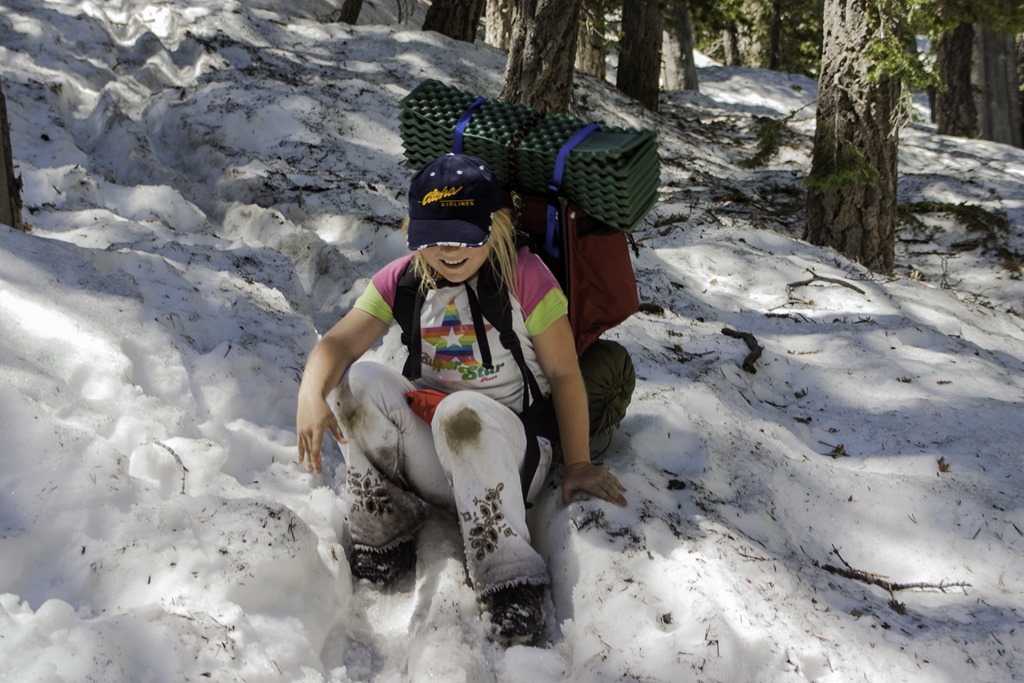
(My daughter some years ago as we hiked out of a late spring backpacking trip in the local mountains.)

The serious student of photography skillfully applies contrast in the digital darkroom to achieve this look. But before getting in to how this is done, let’s step back and take a look at how we respond to contrast not only in photographs but also in nature.

In the following discussion I will use examples from nature to illustrate the affect contrast has on us. The idea is to understand how it works so that we can more effectively apply this knowledge to our photographs.

Continue reading “Images with Impact – Contrast in Nature”

(492)

Making a Photograph – A New Approach to Tonality Adjustments

Watch as a photograph of an icon of Zion National Park is made.

For some time now I’ve been using and teaching a process of working on photographs in Lightroom. It consists of basically four steps: manual adjustments, tonality adjustments, hue adjustments and finally saturation adjustments. Quite some time ago I had the brilliant idea of converting the image to black and white before doing the tonality adjustments. The technique I used was the B & W tab in Lightroom’s HSL group.  Once the tonality adjustments were done, the image would be converted back to color and the process continue.

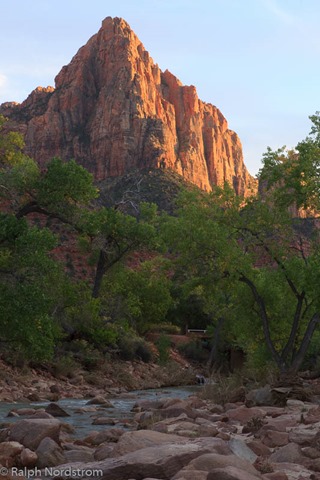
It didn’t work out because when I converted the image back to color, the colors were so oversaturated and unnatural that the image looked horrible. It was just easier to do the tonality adjustments on the color image. So I quickly gave up on that technique. But the other day I was reading an article in Popular Photography magazine that rekindled this idea. It took a different approach. It turned the image to black and white by setting the Saturation adjustment to -100. Now the author did this in the middle of the process but I thought that if I applied this to my process and did that at the start it just might work. So I was eager to give it a try. Let’s try it with this image of the Watchman in Zion National Park.

utah_141010__SM32783 This is the original raw file. I haven’t done anything to it yet. It doesn’t need any mechanical adjustments. These consist of removing spots, straightening the image, maybe some noise reduction and the final crop. But since none of these are required we can move on to the tonality adjustments.


Continue reading “Making a Photograph – A New Approach to Tonality Adjustments”

(4946)

Creating Images with Impact – Black Point

Add Impact to your Images by setting a black point. Here’s the how and why.

In this series of blog posts were talking about how to create Images with Impact. You know what I’m talking about. These are those images that really grab our attention, that capture our imaginations. There’s something special about them and it doesn’t have to be a mystery how they are created. There are a few simple techniques that you can use in Lightroom and Photoshop to add impact to your images. Now if you don’t use Photoshop, you can still do everything were talking about in Lightroom.

In the first article we talked about utilizing the full dynamic range of your medium. This is something Ansel Adams taught in his books and classes that was an essential element of his stunning landscape photographs. As he developed his technique which became known as the Zone System, the primary goal was to use the full dynamic range of his medium which, in his case, was the black and white print.

So we talked about that technique first because it is the most appropriate place to start. I do want to add that in color photography or color prints not every print benefits from a white point but virtually all prints benefit from a black point – which is what we want to talk about in this article.

IMG_0012-2

What exactly is a black point? It is small portions of the print that are pure black. If you’re printing on paper than these are small portions that are the blackest black that the combination of paper and ink can achieve. As a side note, different combinations of paper and ink achieve different levels of blackness. But regardless of the combination you use, the blackest black that can be achieved is your black point.

You want to keep the black point areas very, very small because they have no detail. And generally speaking we like to see detail in our shadows, another guideline that I picked up from studying Ansel Adams. But you don’t want to eliminate black points, that is, in most cases. There are a few exceptions to this rule that I will talk about later.

Let’s take a look at the before and after images of our photograph. I shot this at the Huntington Library in South Pasadena a few weeks ago. It’s in their incredible cactus garden – endlessly fascinating.

Continue reading “Creating Images with Impact – Black Point”

(8583)